
Discussion Checkpoints: Add multiple due dates to Canvas discussions
Canvas has introduced a highly requested feature: Discussion Checkpoints, which allows instructors to set multiple due dates within a single discussion topic. This feature helps students track expectations for an initial post separately from subsequent peer replies.
What are Discussion Checkpoints?
Discussion Checkpoints are a setting for graded discussions that divide participation into two distinct, graded stages: the Initial Post and the Required Replies.
Previously, Canvas supported only one official due date per discussion. With Discussion Checkpoints enabled, you can now define:
- An Initial Reply: A due date and point value for the student’s first response to the discussion prompt.
- Additional Replies: A second due date and separate point value for a student’s responses to peers.
Canvas automatically totals these points into a single Gradebook column. At the same time, students see two separate To-Do list items and calendar events, ensuring they never miss a step!
How do I use Discussion Checkpoints?
Discussion Checkpoint set up is integrated directly into the Edit screen of any Discussion.
- Create or edit a discussion: Navigate to your Discussion and select Edit.
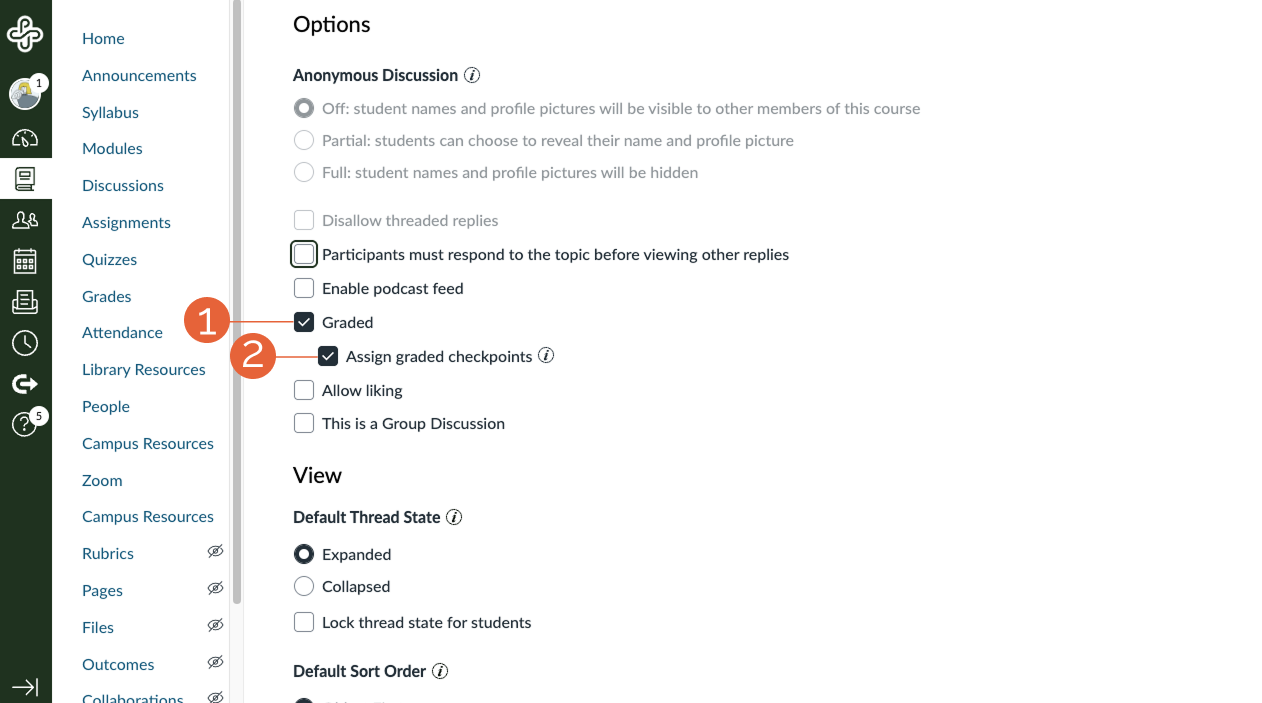
- Enable grading: Scroll down to the Options section and select Graded (1).
- Enable checkpoints: Locate and select the checkbox labeled Assign graded checkpoints (2).
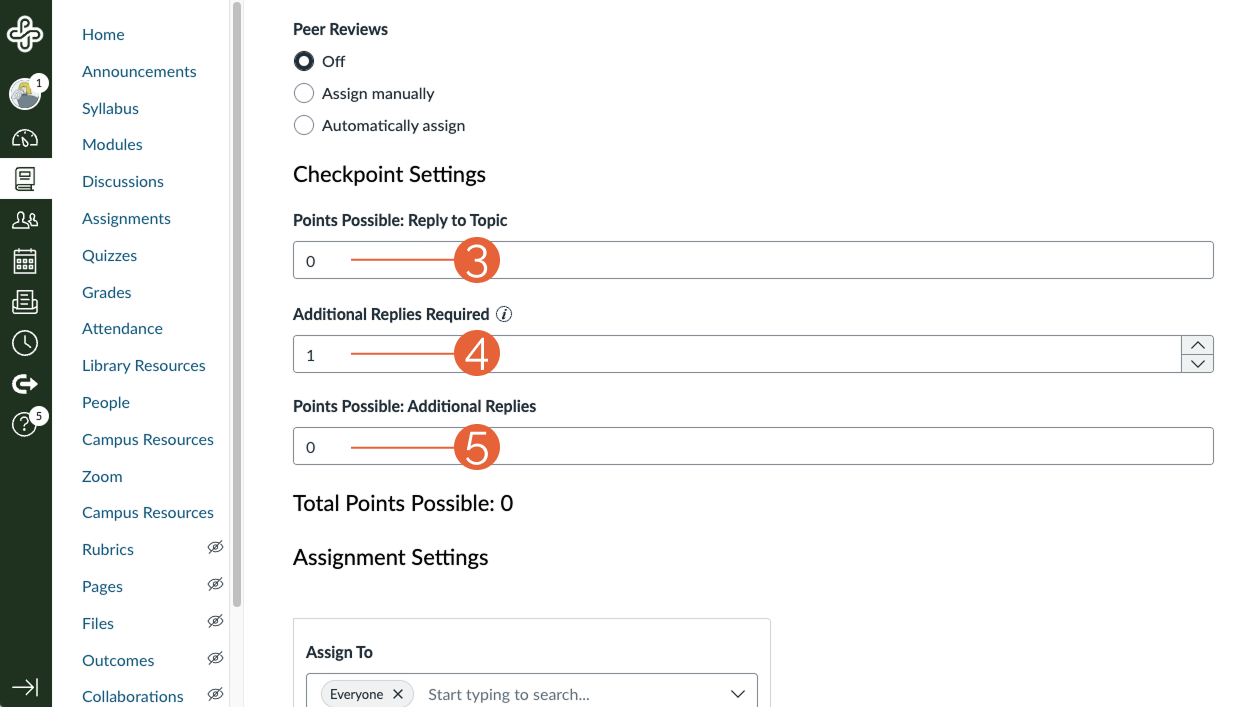
- Define participation requirements: Enter the points for an initial reply (3), the number of required peer replies (4), and the points for additional replies (5).
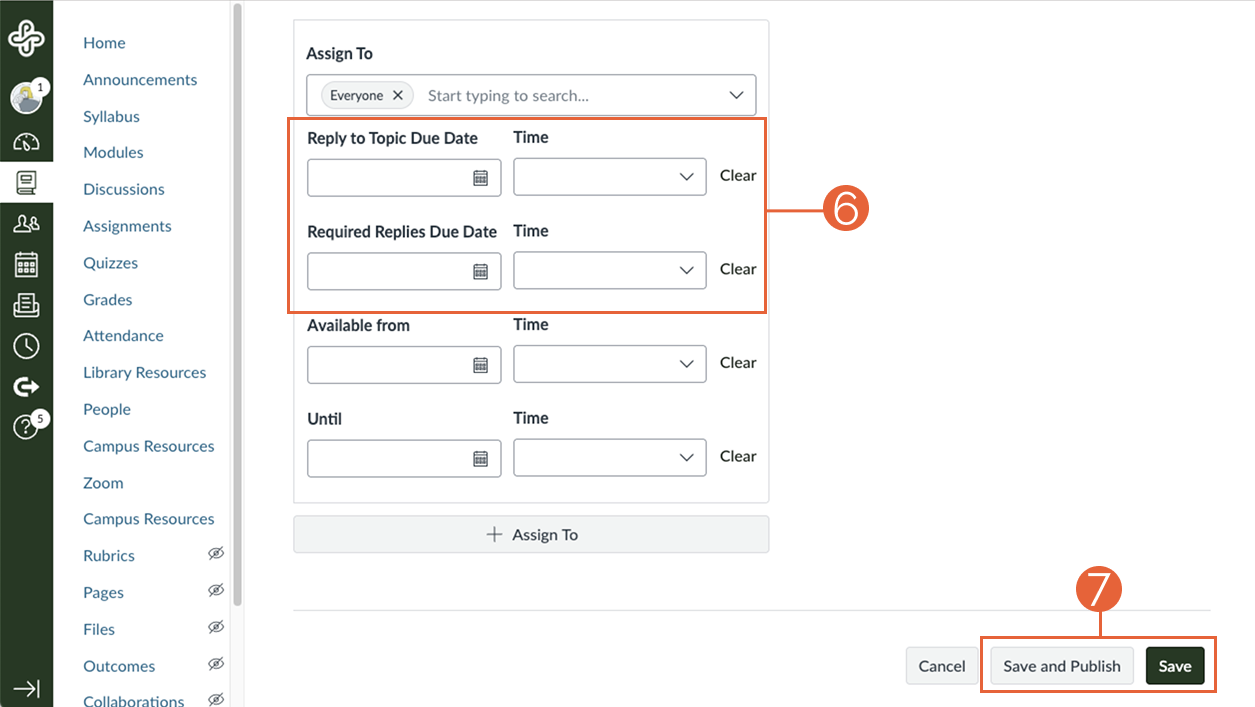
- Set due dates: Choose the date and time for the initial topic reply and the final due date for replies (6)
- Save and Publish: Select Save and Publish when you are ready to make the discussion available to students. Once published, students will see both dates clearly displayed on the Discussion index page and within the prompt itself. (Use the Save button if you are not ready to open the discussion to students.)
Things to know when using Discussion Checkpoints
- Modules: If you use the module requirement Must contribute to the page for a discussion with checkpoints, Canvas will respect the initial checkpoint date when the requirement is enabled.
- Rubrics: You can still use a rubric for the overall discussion. However, rubric scores do not populate the checkpoint fields. You will need to manually enter checkpoint scores in SpeedGrader.
- Group Discussions: Checkpoints are supported in Group Discussions, allowing you to maintain structure within smaller cohorts.
- Anonymity: Discussion Checkpoints cannot be used in conjunction with anonymous discussions.
This article was last updated .
You might also like













👋Need more help?
Submit a support request through our Faculty Support portal for assistance.