You might also like




👋Need more help?
Submit a support request through our Faculty Support portal for assistance.

This article was last updated .
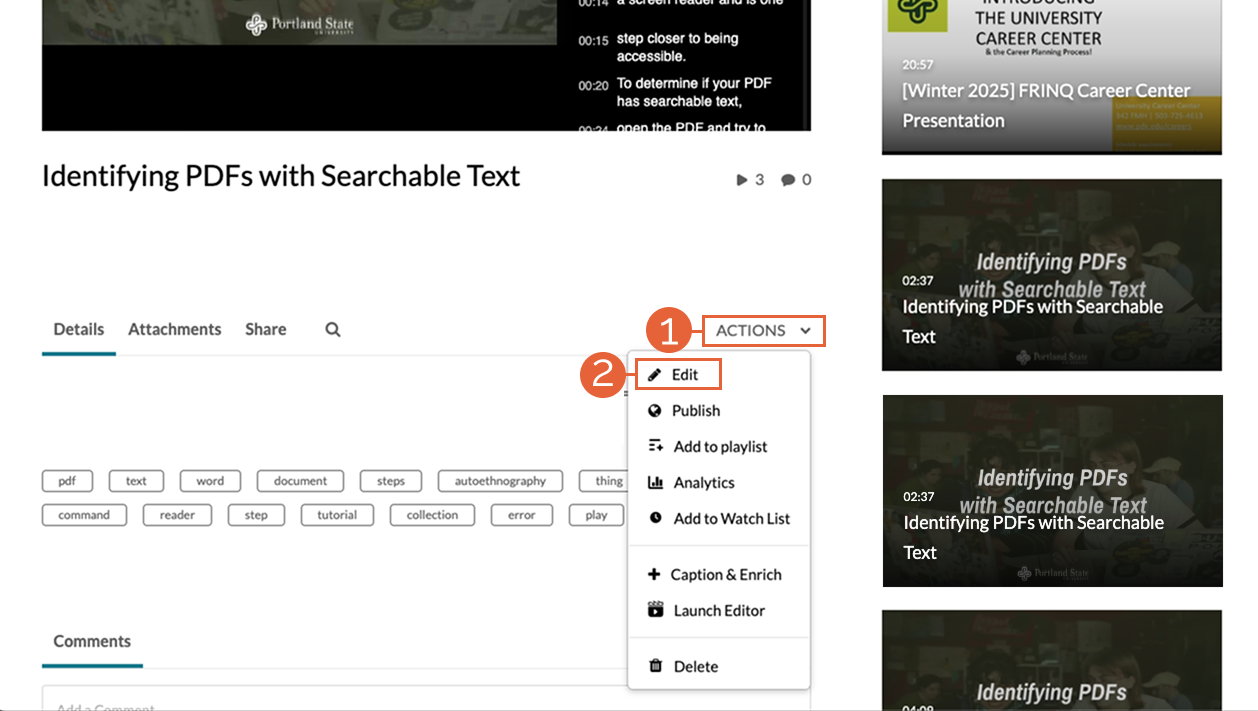
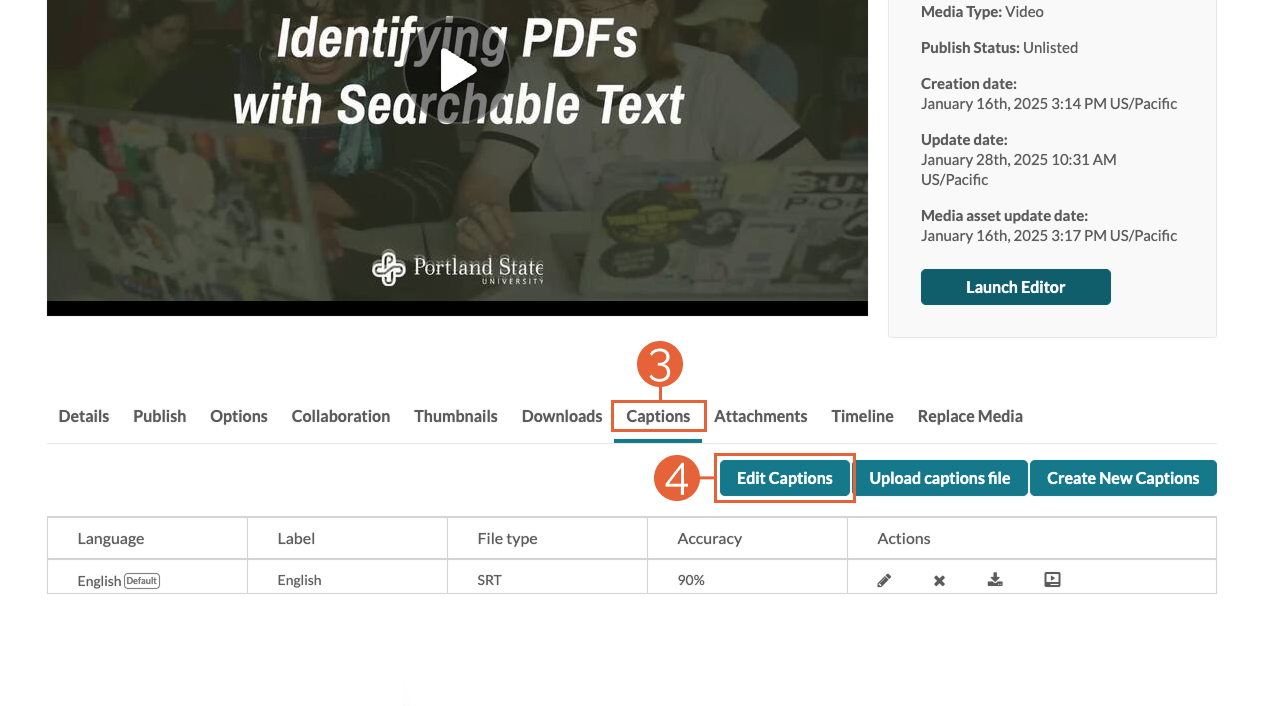
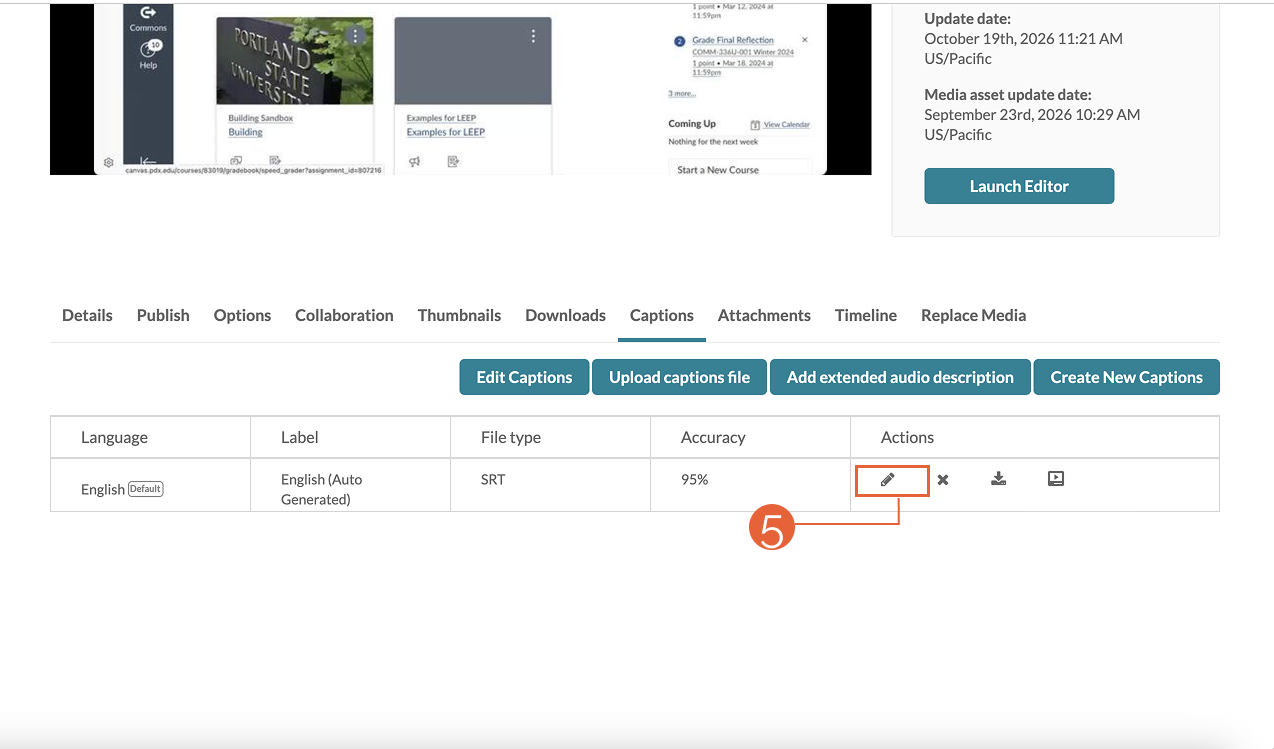
Whether your media has machine-generated or professionally created captions, the process for editing captions in MediaSpace is the same. MediaSpace generates transcripts from captions, so any changes you make to the captions will automatically update the transcript. If your media doesn’t have captions, such as an audio-only podcast, you can follow the same process to edit its transcript.
Note: There is no autosave function and inactivity may cause the editor to time out. To ensure you don’t lose progress, try to save frequently while you are working.
Captions and transcripts are generated in English by default, but you can select a different language if your media is in another language. These captions and transcripts will match the language of the audio; they are not translations. MediaSpace supports only one language per set of captions. See the list of supported languages.
Note: There may be a delay between requesting captions in a new language and when they are available to edit.
Submit a support request through our Faculty Support portal for assistance.