
Non-Credit Canvas and Catalog Toolkit
Resource type: informational
Intended for: non-credit and professional education facilitators
Canvas Catalog is an online course registration system designed for non-credit learning activities.
It provides a public-facing course storefront where learners can browse, register for, and pay for courses. Canvas Catalog operates independently from the academic Canvas instance and consists of two separate but integrated systems: Catalog and Non-Credit Canvas LMS.
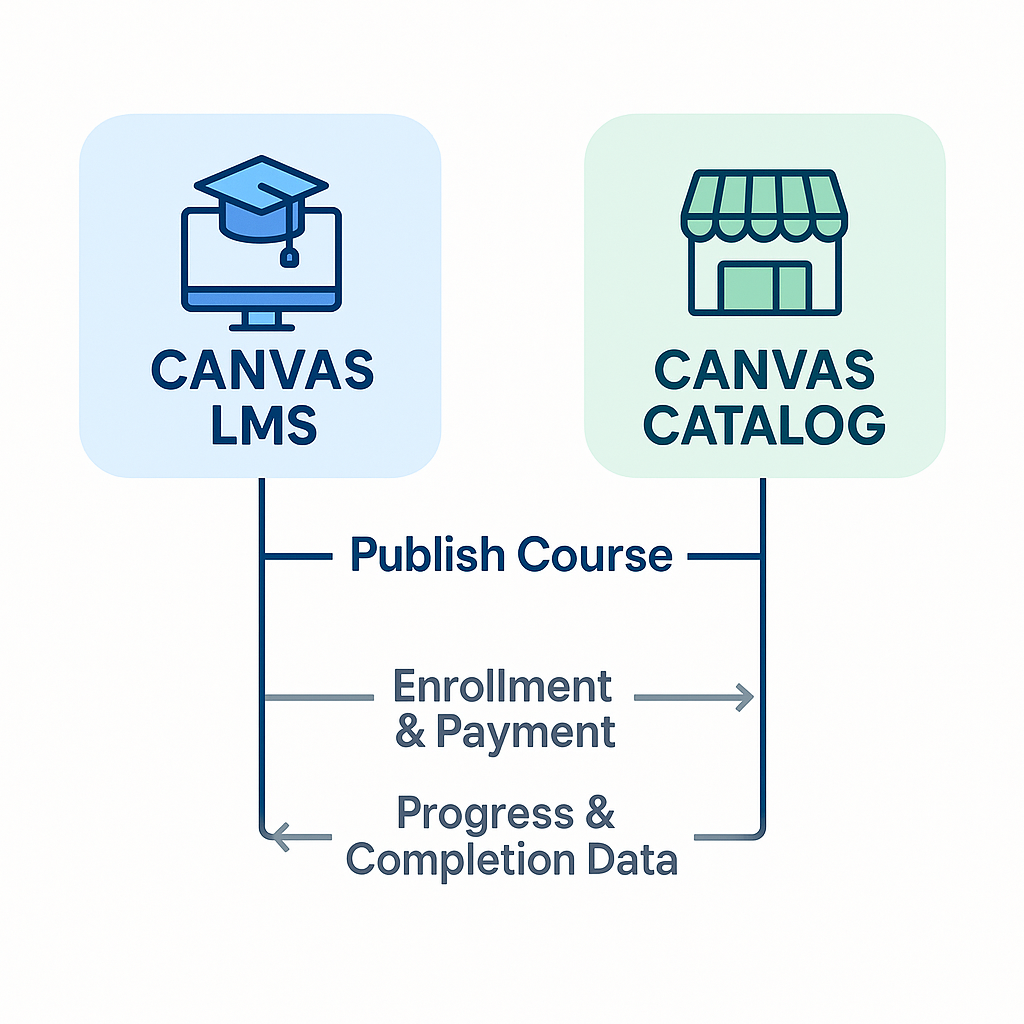
Access onboarding resources for the PSU Catalog and the non-credit Canvas LMS below.
This guide explains how to use Portland State University’s two main tools to set up and run non-credit activities and professional education courses.
- Registration vs. Teaching: Use Catalog as your online store for sign-ups and payments, and the Non-Credit Canvas LMS as your digital classroom for lessons and quizzes.
- Simple Setup: Follow a clear workflow by building course materials first, then publishing the public listing so students can enroll.
- Management Tools: Use features that support bulk enrollment and provide data on how your department’s non-credit courses are performing.
This guide introduces new standards for Portland State University’s non-credit programs to ensure they are consistent, professional, and well supported across campus.
- Standardized Guidelines: Starting Fall 2025, all non-credit courses must follow shared guidelines for recordkeeping, contract approvals, registration through Catalog, and online learning in non-credit Canvas.
- Quality and Growth: These guidelines support accurate data tracking and reporting and help the university grow non-credit and professional education programs.
- Shared Costs: To support budget efficiency, units cover the cost of their Catalog, non-credit Canvas, and Studio licenses through a shared-service center.
This FAQ provides quick answers and clear steps for managing non-credit registration, participant accounts, and accounting processes for PSU’s non-credit activities.
- Account Requirements: Each participant must have a Canvas account linked to the Catalog system to register for and access their courses successfully.
- Fees and Licenses: The annual license fee is a non-refundable, one-time yearly cost. However, most faculty and staff do not need a paid license to manage their programs.
- Payment Management: The guide explains how to manage various payment methods, including checks and wire transfers, and process student refunds.
You might also like







👋Need more help?
Submit a support request through our Faculty Support portal for assistance.